
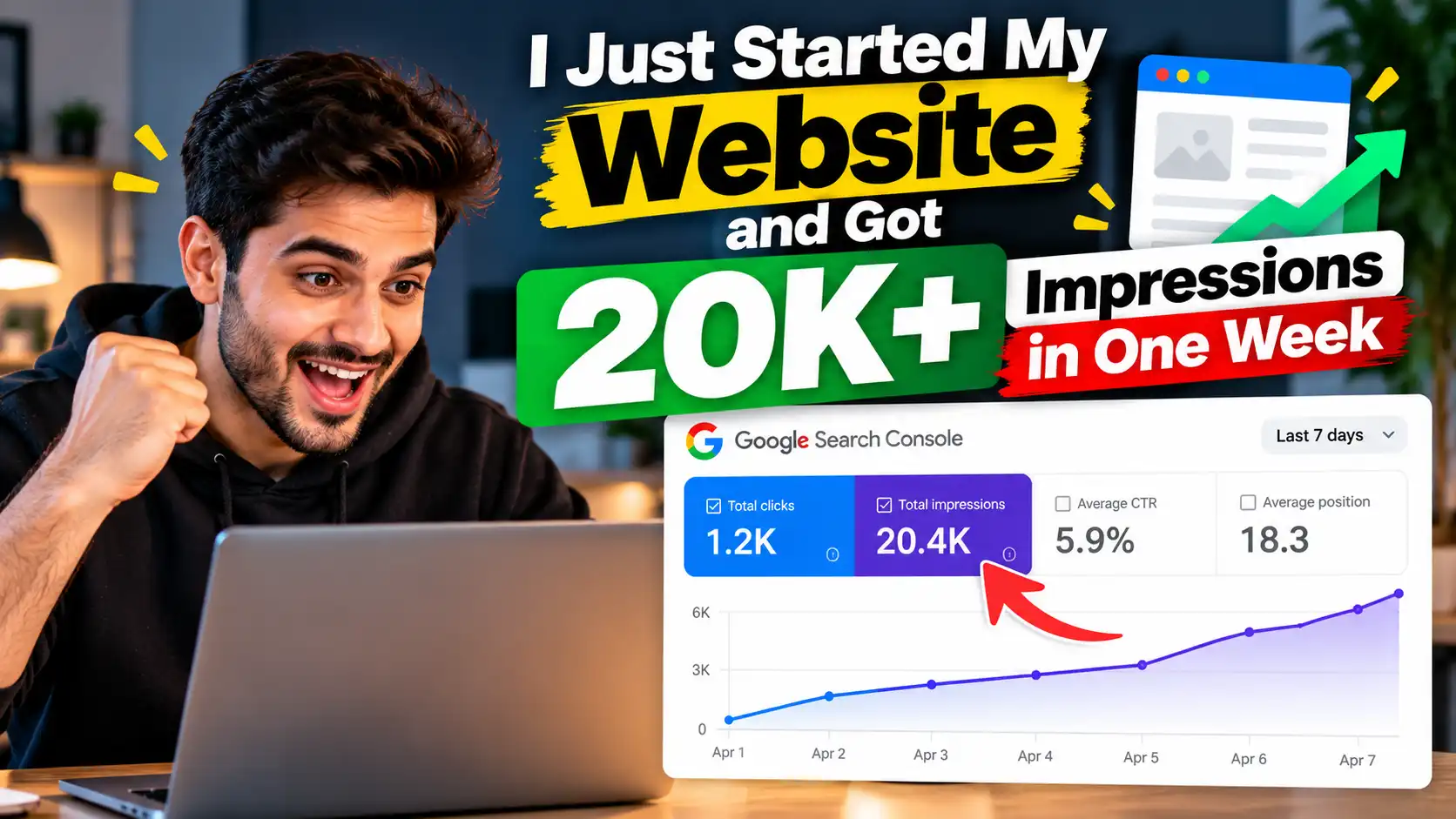
_Starting a new website and getting it noticed on Google can feel difficult. Many website owners publish their first few articles, wait for traffic, and wonder why their pages are not appearing in search results.
But what happens when a new website starts receiving more than 20,000 Google Search impressions in just one week?
That’s the result I want to talk about in this blog.
I recently started working on a website, and within one week, it generated over 20K impressions in Google Search. Impressions don’t necessarily mean that 20,000 people visited the website. They mean that the website’s pages appeared in search results that many times.
Still, for a new website, this can be an encouraging early SEO signal.
In this article, I’ll explain how to understand this result, which SEO activities are worth focusing on, and what you can do if you’re also trying to grow a new website from scratch.
What Does 20K+ Impressions Mean for a New Website?
Before discussing SEO, let’s understand the numbers.
Google Search Console reports impressions when your website appears in search results. Clicks are counted separately when someone clicks through to your website.
For example, your website might receive:
- 20,000+ impressions: Your pages appeared in Google Search results.
- Clicks: People clicked on those search results.
- Average CTR: The percentage of impressions that resulted in clicks.
- Average position: Your pages’ average ranking position across relevant search results.
These metrics tell different parts of the story. Impressions can show that Google is discovering and displaying your pages, while clicks help you understand whether searchers are visiting your website.
1. Start With Keyword Research
One of the first things to focus on when launching a new website is keyword research.
Instead of writing about every topic in your niche, identify the questions and search terms your target audience actually uses.
For example, if you’re starting a website about SEO, your keyword research might include topics such as:
- How to improve website SEO
- SEO tips for beginners
- How to use Google Search Console
- On-page SEO checklist
- Common technical SEO mistakes
Look for relevant keywords that match your website’s purpose and the content you can genuinely provide.
Don’t choose keywords based only on search volume. Consider the search intent, competition, relevance, and whether your article can answer the query better than existing results.
Tip: Group closely related keywords into topic clusters. This helps you plan useful content instead of publishing unrelated articles without a clear direction.
2. Focus on Search Intent
Keyword research helps you identify what people search for. Search intent helps you understand what they expect to find.
Someone searching for “what is technical SEO” probably wants an explanation. Someone searching for “technical SEO audit checklist” likely wants actionable steps.
Your content should match that expectation.
Before writing a blog post, review the current search results for your target query. Look at the type of content ranking, the questions it answers, and any useful details missing from the results.
Then create a page that solves the reader’s problem clearly.
Avoid copying competitors or rewriting their articles sentence by sentence. Use competitor research to understand the topic, not to duplicate another website’s work.
3. Publish Helpful, Well-Structured Content
Publishing content is important, but publishing useful content is what gives readers a reason to stay.
Each article should have a clear purpose and provide enough detail to answer the searcher’s question.
A practical blog structure includes:
- A clear H1 heading
- An introduction that explains the problem
- Relevant H2 and H3 subheadings
- Examples, steps, or original observations
- Relevant internal links
- A concise conclusion
- FAQs when they genuinely help readers
Use your primary keyword naturally in the title, introduction, URL, and relevant headings where appropriate. Include related terms when they fit the topic.
Don’t force the same keyword into every paragraph. Good SEO content should sound natural and remain useful to people who read it.
4. Set Up Google Search Console Early
Google Search Console is one of the most useful free tools for understanding how a website performs in Google Search.
After launching your website, verify ownership and submit your XML sitemap if you have one.
Use Search Console to check:
- Whether Google has indexed important pages
- Which queries generate impressions
- Which pages receive clicks
- Which pages have high impressions but low CTR
- Whether indexing or technical issues need attention
Once your website starts appearing in search results, the Performance report can help you identify opportunities for improvement.
For example, if a page receives impressions for relevant queries but few clicks, review its title and meta description. Make them more accurate and compelling without promising something the page doesn’t deliver.
Remember that submitting a sitemap does not guarantee indexing or rankings.
5. Build a Strong Internal Linking Structure
Internal links connect one page on your website to another.
They help visitors discover related content and give search engines additional context about how your pages are connected.
For example, a blog about keyword research could link to related articles about on-page SEO, SEO audits, and Google Search Console.
When adding internal links:
- Link to pages that genuinely relate to the topic.
- Use descriptive anchor text.
- Make sure the destination page provides additional value.
- Check for broken links.
- Avoid adding links where they interrupt the reader.
If you publish multiple articles around one subject, connect them logically. A well-organised website is easier for readers to navigate and easier to maintain as it grows.
6. Don’t Ignore Technical SEO
Even strong content can struggle if important pages are inaccessible or have technical problems.
For a new website, start with the basics:
- Make sure the website works well on mobile devices.
- Use HTTPS.
- Check that important pages return the correct status codes.
- Avoid accidentally blocking search engines.
- Review canonical tags.
- Create and submit an XML sitemap.
- Fix broken internal links.
- Improve page speed where needed.
You don’t need to make every technical setting complicated from day one. Start with issues that prevent crawling, indexing, or a good user experience.
Tools such as Google Search Console and PageSpeed Insights can help you identify problems and prioritise fixes.
7. Measure Progress Instead of Guessing
SEO decisions should be based on evidence rather than assumptions.
If your website has generated 20K+ impressions in a week, examine the data to understand what contributed to that result.
In Google Search Console, compare the relevant dates and review:
- The pages receiving the most impressions
- The queries generating those impressions
- The number of clicks
- The average CTR
- The average position
- Any changes in indexing or page visibility
You may discover that a small number of pages account for most of your impressions. You may also find that Google is testing your pages for queries you didn’t initially target.
Use those observations to decide what to improve next.
One important point: 20K impressions alone do not prove that a particular SEO technique caused the result. Search demand, query coverage, competition, website history, and other factors can influence visibility.
To explain exactly how I achieved this milestone, I would need to review the actual Search Console data and the work completed during that week.
8. What I Would Focus on Next
Getting impressions is an encouraging starting point, but it is not the final goal.
The next step is to turn relevant visibility into clicks and useful visits.
I would prioritise the following:
Improve pages with high impressions and low CTR. Review whether their titles and descriptions accurately communicate the value of the content.
Strengthen pages already gaining visibility. Update information, add missing explanations, and improve internal links where appropriate.
Publish related content. Build topical depth around subjects that matter to your audience rather than chasing unrelated trending keywords.
Review search intent. Check whether your content matches what people actually want when they search those queries.
Track clicks and engagement. Look beyond impressions to understand whether your website attracts the right audience.
Keep the data in perspective. One week’s performance is useful, but longer-term comparisons are needed to understand whether growth is sustainable.
Common Mistakes to Avoid on a New Website
While trying to grow a new website, avoid these common mistakes:
- Publishing articles only to increase content quantity
- Targeting keywords unrelated to your business
- Stuffing keywords into headings and paragraphs
- Copying competitor content
- Buying low-quality backlinks to manipulate rankings
- Ignoring mobile usability and technical issues
- Changing titles repeatedly without analysing performance
- Treating impressions as equivalent to traffic
- Expecting every new page to rank immediately
Focus on building a website that deserves to appear in search results because it answers questions well and provides a good experience.
Frequently Asked Questions
1. Can a new website get 20K impressions in one week?
Yes, it is possible. Results depend on factors such as the website’s niche, the number and relevance of its pages, search demand, competition, and how Google displays those pages. It is not a guaranteed outcome for every new website.
2. Do 20K impressions mean 20K visitors?
No. Impressions measure how often pages appeared in Google Search results. Clicks measure how often people clicked those results.
3. How long does SEO take to work on a new website?
There is no fixed timeline. Some pages can appear in search results relatively quickly, while meaningful and consistent organic traffic may take much longer.
4. Is Google Search Console free?
Yes. Google Search Console is a free service that helps website owners understand their site’s search performance and identify certain technical issues.
5. Should I publish blogs every day on a new website?
Not necessarily. Focus on publishing useful, accurate content consistently. Quality, relevance, and the needs of your audience matter more than hitting an arbitrary daily publishing target.
6. Are impressions important for SEO?
Yes, they can be a useful visibility metric. However, they should be analysed alongside clicks, CTR, average position, and the relevance of the search queries.
7. Do internal links help SEO?
Internal links help visitors and search engines discover related pages and understand relationships between content. Use them naturally and link to genuinely relevant pages.
8. Can I get SEO traffic without paid ads?
Yes. Organic search traffic does not require paying for each click, although creating and maintaining a website still requires time and potentially other resources. Results are not guaranteed.
9. Should I submit my sitemap to Google?
Submitting an XML sitemap through Google Search Console can help Google discover important URLs. It does not guarantee that every URL will be crawled, indexed, or ranked.
10. What should I do after getting my first 20K impressions?
Analyse the pages and queries generating impressions. Improve relevant pages with low CTR, strengthen internal linking, address technical issues, and publish useful content around topics your audience cares about.
Conclusion
Getting more than 20K Google Search impressions in one week after starting a website is an encouraging milestone. But the most useful lesson is not to chase a particular number. It is to understand why your pages are appearing, what people are searching for, and how to turn that visibility into relevant website traffic.
Use Google Search Console to study your actual results, create content that solves real problems, and improve your website based on evidence.
SEO services is not about finding one secret trick. It is about making consistent improvements and learning from what the data shows.
Have you recently launched a website? Share your impressions, clicks, and niche, and compare your progress using the same metrics.
Author
Jaspreet Singh – Best SEO expert and best digital marketing agency owner.
Add a short author bio describing your actual SEO experience and link to your author profile. Include a reviewer only if a qualified person has genuinely reviewed the article.